


تحسين النتائح
ترتيب حسب
من
الى
The book starts by introducing you to the world of Linux. Then, it outlines Ubuntu installation in illustrated steps, after which you'll learn how to configure every piece of everyday tech hardware such as your Internet connection, printers, 3D graphics cards, Bluetooth devices, and much more. Then you'll learn fun tasks such as listening to audio CDs and MP3s, watching movies, performing office tasks, and even image editing.
Beginning Ubuntu Linux is the perfect guide for those switching to the world's favorite Linux. The new edition has been thoroughly updated to cover technology introduced in the 6.10 release. You'll learn how to install Linux, set up your hardware and software, customize the desktop experience, browse the Web and send/receive e-mail, play back audio and video, edit digital images, use the OpenOffice.org office suite, and more.
Beginning Ubuntu Linux, the award–winning and best–selling Ubuntu book for beginners, is now in its third edition, presenting readers with an up–to–the–minute introduction to the world of Linux and the open source community. A detailed overview of Ubuntu's installation and configuration process encourages you to take the plunge and switch to Linux, and from there you'll learn how to wield total control over your newly installed operating system. Guided through the most commonly desired tasks such as printer configuration, listening to audio CDs and MP3s, watching movies, performing office and Internet–related tasks, as well as general system maintenance matters, authors Keir Thomas and Jaime Sicam will soon have you using and enjoying Ubuntu Linux and never looking back.
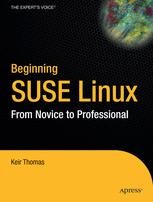
The book begins by discussing the background of Linux and open source software, then proceeds to guide you through the SUSE installation process. You'll learn how to use the basic functions, and modify the look and feel according to your tastes. This book is packed with troubleshooting tips, so even the most cautious beginner will feel right at home. Next, the book covers the daily usage tasks that are enjoyable and interesting to learn. You'll learn how to configure your system to listen to audio CDs and MP3s, burn CDs, watch movies, connect to the Internet, and reproduce common Windows tasks.
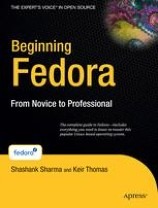
Beginning Fedora: From Novice to Professional guides you through the tasks most new Linux users desire to perform, while explaining potentially confusing concepts along the way. It will steer you through system customization opportunities and common tasks like listening to audio CDs and MP3s, watching movies, and performing office- and Internet-related jobs.

سوريا - اتستراد درعا - غباغب
+963-15 2050 - 15 860 380 /1/2/3 - 11 662 3900