



Page 1
Page 1
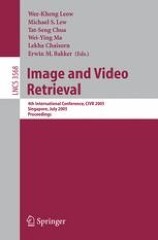
Image and video retrieval ; Vol. 3568 ; 4th International conference, CIVR 2005, Singapore, July 20-22, 2005, Proceedings
It was our great pleasure to host the 4th International Conference on Image and Video Retrieval (CIVR) at the National University of Singapore on 20–22 July 2005. CIVR aims to provide an international forum for the discussion of research challenges and exchange of ideas among researchers and practitioners in image/video retrieval technologies. It addresses innovative research in the broad ?eld of image and video retrieval. A unique feature of this conference is the high level of participation by researchers from both academia and industry. Another unique feature of CIVR this year was in its format – it o?ered both the traditional oral presentation sessions, as well as the short presentation cum poster sessions. The latter provided an informal alternative forum for animated discussions and exchanges of ideas among the participants.After a rigorous review process, 20 papers were accepted for oral presentations, and 42 papers were accepted for poster presentations. In addition to the accepted submitted papers, the program also included 4 invited papers, 1 keynote industrial paper, and 4 invited industrial papers. Altogether, we o?ered a diverse and interesting program, addressing the current interests and future trends in this area.

Foundation Form Creation with Adobe LiveCycle Designer ES
Form creation is key to information processing and forms workflow is a key concept within Adobe LiveCycle Enterprise Suite. Adobe LiveCycle Forms ES is a stand-alone product that also comes bundled with Adobe LiveCycle Enterprise Suite. This is the first and only book about this new product specifically created for the design, creation, and processing of dynamically interactive forms. Foundation Form Creation with Adobe LiveCycle Designer ES is written for users of all abilities, with introductory material for beginners and advanced techniques for more experienced users. It discusses both the best-practices of designing forms that work and the specifics of implementing them efficiently for data collection—the full life cycle of working with forms.

Foundation Flex for Designers
All Flex applications look the same—a blue-gray background and silver-skinned components—right? That doesn't have to be the case, though. This book shows you how to ensure that your Flex 2 and 3 projects stand out from the crowd and provide your users with an application that is both visually stunning and beautifully functional. Flex Builder, coupled with the Adobe Creative Suite (CS3), is a powerful combination, providing all the tools you need to create compelling, vibrant interfaces. This book guides you through creating applications with Flex Builder, designing layouts in Fireworks, creating custom skins for your components in Photoshop and Illustrator, and using CSS to enhance the appearance of your rich Internet applications (RIAs).

Foundation Flash CS3 Video
Video is one of the most exciting features on today's Internet, with widespread adoption being made possible by advances in bandwidth and software. But simply streaming video clips to Web users is only the tip of the iceberg! Flash CS3 offers a whole host of advanced video features, allowing you to create breathtaking user experiences. And this book, the second edition of the critically-acclaimed Foundation Flash 8 Video, shows you how to make the most of video in Flash CS3. The authors start with the basics of creating video ready for use on the web using popular applications such as Windows Movie Maker and iMovie, creating FLV (Flash video) using both Flash and other applications such as Sorenson Squeeze, and importing that video into Flash.

Foundation Flash CS3 for Designers
This book is all you'll need to learn Flash CS3 from the ground up, or learn about all these new features, if you already have previous Flash experience. Flash experts Tom Green and David Stiller take you step-by-step through all facets of Flash CS3, with the emphasis firmly on good design techniques that you use in your own projects.

Foundation Flash Cartoon Animation
Covering every aspect of Flash animation, the book is a fast-paced yet thorough review of the Flash animation process. This book not only reveals the step-by-step process followed by one of today's leading Flash animation studios, but also give you valuable tips and tricks to take your Flash animation to the next level.

Foundation Flash 8 Video
This book is the ultimate guide to Flash 8 video it offers practical advice, technical guidance, and a full series of creative projects ranging from the dead simple to the complex in a manner that talks to you as an equal and makes only one assumption: basic familiarity with the Flash interface. We start with the basicshow to edit video in some of the most popular packages available (such as iMovie and Movie Maker 2) and create a Flash video file and import it into Flash.

Foundation Flash 8
The fourth edition of friends of ED's legendary beginner Flash book, Foundation Flash 8 uses a series of structured exercises and detailed discussions to help you start your exploration of Flash. The detailed tutorial style will ensure that you retain the knowledge you gain and are able to draw upon it throughout your Flash career. Foundation Flash 8 features a running case study that evolves into a fully-functional Flash website as you work through the tutorials, so you'll immediately see everything that you learn being used in a practical project. This book focuses on the core skills that you need to get started working with Flash 8: understanding the interface, becoming familiar with the creative tools and their capabilities, grasping the relationships between the different components that make up a Flash movie, and getting insight into how to put all the pieces together to create your own Flash-based website.

Foundation Expression Blend 2 : Building applications in WPF and silverlight
This book shows you how to take full advantage of Blend's interface, together with and Silverlight's vastly improved designer-developer workflow, guiding you through every step of development from downloading and installing of the development environment through creating finished, functional projects. You'll learn how to create simple drawing applications with the InkCanvas, make tabbed and scrollable interfaces, as well as build fully featured media players, photo galleries, and interactive 3D designs. Each chapter discusses major WPF and Silverlight features, provides a hands-on tutorial, and explains how that feature is implemented in the real world. In the end, you will have a collection of impressive WPF and Silverlight applications that can be added to your portfolio.

Foundation ActionScript animation : Making things move!
In this book Keith Peters guides you through some basic animation theory and then demystifies the math and physics behind creating realistic animation, looking at trigonometry, velocity and acceleration, and bouncing & friction. This book will teach you how to use Flash ActionScript to move the objects in your movies, rather than letting Flash's tween engine do it for you. The benefit of this is smaller, more realistic, more dynamic interactive movies that seem to come alive on your screen. Almost all of the code featured in this book will work fine in either Flash MX 2004 or Flash 8, and with a few minor adjustments, most of it can even be applied to Flash MX.

Foundation ActionScript 3.0 with Flash CS3 and Flex
If you want to create exciting dynamic web sites that will amaze your online audience, then the Flash platform is a great way to go, with it's many features, including powerful graphical and sound and video capabilities. To really harness the power of Flash though, you need to make use of ActionScript to provide dynamic effects, enable user interaction, and manipulate data. ActionScript 3.0, the Flash Platform's scripting language, offers a lot of new and powerful features. ActionScript is now a full-fledged programming language, with complete object-oriented capabilities, improved event handling, sound and video support, drawing capabilities, support for regular expressions, and much more. This book covers all the essential techniques from the ground up, allowing you to get up and running quickly and easily. Starting with the fundamentals, you'll learn about using ActionScript objects, manipulating sound and video, and harnessing the power of regular expressions and XML.

Foundation ActionScript 3 Animation : Making Things Move!
The material inside this book covers everything you need to know to harness the power of ActionScript 3.0. The book goes on to provide information on all the relevant trigonometry you will need, before moving on to physics concepts such as acceleration, velocity, easing, springs, collision detection, conservation of momentum, 3D, and forward and inverse kinematics.

Flex solutions : Essential techniques for Flex 2 and 3 developers
Flex Solutions: Essential Techniques for Flex 2 and Flex 3 Developers faces problems and provides solutions that can be applied to any project, from the most simple to the most complex. Solutions are also provided for enhancing the security of Flex applications, and techniques are offered for optimizing the actual work environment by increasing the performance of Flex Builder, adding video content, and creating an AIR project to bring your web application onto the desktop.

Flash 8 Essentials
As a creative professional or interactive developer, you’ll be amazed at the exciting possibilities presented to you by the features available in Flash 8; but as a busy designer, we know you won't have as much time as you’d like to explore these new additions. Never fear; this book wastes no time looking at timeline basics, tweens, or movie-publishing options—it focuses exclusively on the new Flash 8 features, getting you quickly up to speed with a combination of illustrative tutorials, handy references, and inspirational examples. By the end of the book, you’ll know that there’s no shortage of new tools to enhance and inspire your Flash development; and since this book is written by some of the community's leading Flash experts, you’ll know you’re in good hands.

Creating Flash Widgets with Flash CS4 and ActionScript 3.0
Creating Flash Widgets with Flash CS4 and ActionScript 3.0 is an introduction to developing widgets for the Internet using the features of Flash CS4 and ActionScript 3.0. Many social-networking sites, blogs, and personal home pages have adopted the use of widgets and Flash developers can create and distribute their own widgets for others to use. A step-by-step example demonstrates how to design and develop your own Flash widgets and integrate them with XML. In addition, publishing, promoting, and capitalizing on your Flash widgets is discussed.
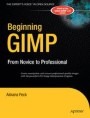
Beginning GIMP : From novice to professional
Beginning GIMP: From Novice to Professional explains how to use the open source image manipulation program, GIMP version 2.4. You'll learn how to install GIMP on Windows, Linux, and MacOS X platforms. Once you've installed the application, you'll learn about the interface and configuration options, and then jump into a quick–and–simple project to familiarize yourself even further. With four–color graphics and screenshots throughout, you'll learn how to prepare camera images for display on web pagesincluding functions like rescaling, cropping, and balancing color. The book also explains with great detail how to utilize layers, paths, and masks. You'll also learn how to draw lines and shapes, use patterns and gradients, and even create your own brushes, patterns, and gradients.
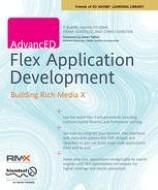
AdvancED Flex Application Development : Building Rich Media X
Many Flex books cover the basics—this book does something different, and goes far further. The authors, leading Flash platform developers at Almer/Blank, working with Adobe User Group communities, are the creators of the Rich Media Exchange (RMX), a social media network for Adobe developers. In covering just how the RMX was built, this book contains all the knowledge you need to build similar large-scale rich Internet applications with Adobe Flex. From the inception of the idea through to deployment, the authors show the techniques needed to plan and build advanced applications. You'll learn how to use forms, styles, validators, video, sound analysis, and framework caching, ensuring you make the most of the features introduced in Flex 3.
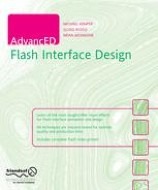
AdvancED Flash Interface Design
Flash allows users to create some amazing interactive interfaces to interact with rich Internet applications, e-learning systems, and simple web sites. In this book, two of the most talented Flash designers in the world will show you how to use them effectively to create breathtaking visuals for your Flash web sites. You'll also learn how to take advantage of Flash's powerful built-in vector-based drawing tools.
Adobe® Acrobat® and PDF for Architecture, Engineering, and Construction
Adobe® Acrobat® and PDF for Architecture, Engineering, and Construction is designed to appeal to the engineering mind. The book is a practical guide focusing on the applications of PDF in the solution of "engineering" problems which may arise in a number of disciplines from architecture to construction. Using real-world examples, the authors follow a project from design through build and long-term maintenance. As the sample project evolves, suitable Acrobat® tools and techniques are identified and brought into play at each stage, showing readers how to personalize the context and processes to meet their own project development and management needs.
